Firefight Upgrader
3,350
Get ready for an adrenaline-pumping firefighting adventure in Firefight Upgrader! Step into the boots of a brave firefighter facing off against massive fires and rescuing people in danger. Personalize your firefighter with various upgrades like state-of-the-art hoses and cutting-edge equipment. Plan your tactics, decide which missions to tackle first, and save civilians in hazardous scenarios. Experience lifelike fire behavior and ever-changing settings that make each fire unique. Can you master the art of firefighting, enhancing your abilities and gear to reach the top and be recognized as the greatest hero? Visit Website Developer https://www.coolcrazygames.com/ for more details.
Recommended Games
View All
4.4
Digital Circus:Parkour Game
Mouse or right joystick - Rotate view WASD or left joystick - Move Space or jump button - Jump Right click on screen to target
6,870

4.4
Safety Pin Couple
Click or tap the screen to interact and progress through the game. Use these inputs to trigger events, solve puzzles, and navigate levels.
4,060
4.0
zoo Animal Transport Game
Use arrow keys to direct animals and vehicles. Press space for special actions like jumping or accelerating.
4,781

4.7
Battle Of Heros
Click on any available unit to place it in your formation.
3,269

4.8
Jump Or Lose
Use WASD for the red player and arrow keys for the blue player. As water rises, navigate to stay dry. Be the last player standing to win.
5,532
4.2
Modern Tuk Tuk Rickshaw Game
USE ARROW KEYS TO STEER THE RIKSHAW LEFT AND RIGHT AND ACCELERATE WITH THE UP ARROW WHILE DECELARATING WITH THE DOWN ARROW TO NAVIGATE THROUGH TRAFFIC AND PICK UP PASSENGERS AT指定的操作游戏副本
3,181
4.4
Nooby And Obby 2 Player
Noob Player Use arrow keys or WASD to move and space or P to jump. Mobile control available for the devices
7,840

4.4
Sprunki in Squid Game Chamber
WASD controls the movement of the character, allowing players to navigate through various levels and environments. W moves the character forward, S moves the character backward, A turns the character left, and D turns the character right, providing flexibility in exploration and interaction within the game world.
6,019

4.5
Among Squid Challenge Online
Use arrow keys to move around in both mobile and PC versions. Press space to eliminate opponents. Utilize buttons for toggling the map view on and off to navigate better.
7,507

4.5
Sprunki Incredibox Only Up
Use WASD keys to move your character around in the game world. Press the space bar to make your character jump. Explore and navigate through different levels by combining these movements to overcome obstacles and reach your goals.
5,109

4.4
ALONE II
Use WASD keys for movement, E to interact with objects or environments, F to turn the flashlight on and off, and Q to quit the game. Press Windows key for system-related functions and ESC to pause the game. An in-game tutorial is available for further guidance.
5,936

4.7
Blocky Universe
click to start your adventure explore the interactive world by clicking on various elements to trigger events and progress through levels interact with characters by clicking on them to engage in dialogue or complete tasks solve puzzles by identifying clickable objects that help you overcome challenges navigate through different scenes by clicking on portals or exits to travel within the game environment collect items by clicking on them to add to your inventory use collected items by clicking on obstacles or specific areas requiring those items to proceed
4,246

4.9
Hole And Fill Collect Master
Click or tap the screen to interact and progress through the game. Use these inputs to trigger actions, solve puzzles, and navigate challenges. Engage with elements by simply pointing and clicking for an intuitive gaming experience.
7,581

4.2
Penguin Adventure 2
In this game, on PC, use up and down arrows to jump and move down, and press J to throw bullets. On mobile, tapping buttons makes you move. To enhance understanding, on PC, left and right arrow keys control movement direction while up arrow initiates jumps. On mobile, swiping left or right navigates character movement, and tapping an additional button fires projectiles.
5,442

4.7
Chick Chase
Move your chicken left or right using on-screen controls, jumping between platforms to progress. Gather every egg in each level to boost your score.
5,782

4.8
Scary House Clown Evil
WSAD for movement, left shift to sprint. On mobile, use the virtual joystick for movement and touch screen to look around.
7,491

4.9
Wizard Adventure
Use the touch screen joystick to navigate the player character. Move your finger on the screen in the direction you want the player to go. This controls both the Android and PC players equally, providing smooth movement in any direction.
3,606

4.9
Mad Shark Fish
for mobile users simply tap and swipe the screen for intuitive control pc users can navigate using mouse clicks and movements for seamless interaction
7,405
4.6
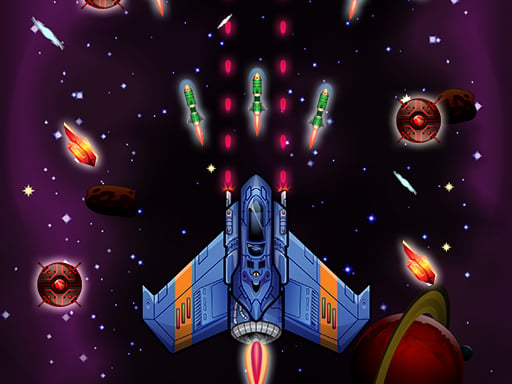
Galaxy Wars
Desktop: Click and hold the left mouse button, then drag to navigate. Mobile: Touch the screen and drag to move around.
3,792

4.4
Challenging Track
In this game, pressing W makes your character jump. A moves your character left, while D moves them right. Pressing S allows your character to bend over. For mobile users, simply touch the corresponding directions on the screen to perform these actions.
4,753